You can create motion comics without drawing a new frame for every moment. The practical route is to start with strong comic art, separate the parts that need to move, time everything around dialogue, and use restrained animation so the result still feels like a comic instead of a low-budget cartoon.
How to create a motion comic
A motion comic works best when the production order is clear. Do not begin by animating random panels. First decide what the viewer must understand, then prepare the artwork, lock the timing, and only then add movement.
Plan the story and scenes
Start by choosing the scenes that actually need motion. A printed comic page may contain panels that work perfectly on paper but feel cramped on screen. If you want to pan across a room, reveal a monster slowly, or hold on a character's reaction, the artwork may need extra background space or a slightly different composition.
Prepare layered comic art
Layered art is what gives you control. At minimum, separate the background, character, foreground, speech elements, and any object that may move. If a character's arm crosses the body, keep the arm separate. If a camera move will reveal hidden space behind a person or prop, paint in the missing background before animation.
- Name layers clearly: "hero_head" is better than "Layer 27."
- Group by scene or character: this keeps large files manageable.
- Keep enough resolution: zooms need larger artwork than the final video size.
- Check for gaps: move layers slightly in your art software before importing them.
Record voices and sound
Record dialogue before final animation whenever possible. Voices tell you how long a panel should stay on screen, where a pause should land, and whether a reaction shot needs more time. Even temporary voice tracks are useful if the final cast is not ready yet.
You do not need a studio for a small project, but you do need clean, consistent audio. A quiet room and a decent microphone will usually beat an expensive mic used in a noisy space. Test for echo, hum, mouth clicks, and uneven volume before recording the full script.
Build a timed animatic
An animatic is the rough version that saves you from wasting work. Put the panels on a timeline, add the dialogue, and use simple cuts or holds to test the flow. If the story feels slow here, polished animation will not fix it.
Watch the animatic as if you were a first-time viewer. If a line is hard to follow, hold the panel longer or cut to a clearer reaction. If a moment feels flat, the answer may be a pause, not more movement.
Animate the panels
Once the timing works, animate in order of importance: camera first, main character motion second, small details last. A slow push toward a face, a drifting smoke layer, or a slight hand movement can be enough. If everything moves at once, the viewer has no clear place to look.
Add effects and export
Effects should support the panel art, not cover it. Use glow, rain, dust, blur, or light flashes only where they add mood or help a transition. Before the final export, render a short test and watch it on both a large screen and a phone. Small text, fast camera moves, and quiet dialogue often become obvious only after this check.
What you need to create motion comics
The basic toolkit is simple: layered artwork, animation software, voice recordings, music, and sound effects. The best setup is not always the most expensive one. It is the setup you can use without getting stuck halfway through production.
Layered comic artwork
Layered comic artwork is the first thing to check. If your art is one flat image, you can still pan or zoom, but you cannot create convincing depth or separate character movement. For a simple motion comic, separate the scene into background, midground, character, foreground, and text. For a more animated look, separate eyes, mouths, hands, hair, clothing, and props.
Animation software
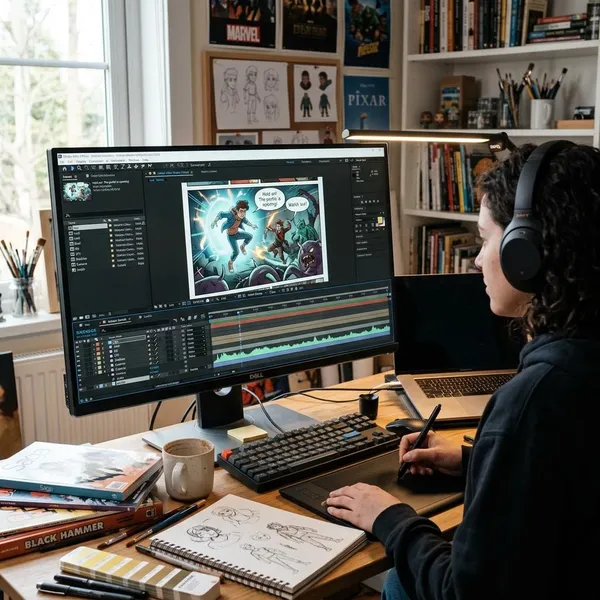
Choose software based on the kind of motion you need. After Effects is strong for keyframes, camera moves, compositing, and effects. Cartoon Animator can be useful when you want character rigging, facial controls, and faster 2D motion. Premiere Pro, DaVinci Resolve, or similar editors help with final assembly and export.
| Project type | Software priority | What to avoid |
|---|---|---|
| Short narrated comic | Simple editor or keyframe tool | Overbuilding rigs you will barely use |
| Panel-based cinematic scene | Layered compositing and camera control | Using low-resolution art for deep zooms |
| Character-heavy episode | Rigging and facial animation tools | Animating before dialogue timing is locked |
Voice recordings
Voice recordings give the timeline a real shape. A tense whisper may need a longer hold than a loud line. A fast argument may need quick cuts between faces. Place the voice track early, then adjust the panels around the performance instead of forcing the performance into finished animation.
Placeholder audio is fine during planning. Just leave room for the final actor's timing, because a different delivery can change the length of a scene.
Music and sound effects
Music and effects make the world feel present, but they should not fight the dialogue. Build the mix in layers: voice first, key effects next, ambient sound after that, and music last. If a scene has important dialogue, choose music that leaves space instead of filling every frequency.
How to plan motion comic timing
Timing decides whether a motion comic feels cinematic or like a slideshow. The viewer needs enough time to read, listen, and react, but long holds with no purpose can drain the scene. Plan pacing before animation, because moving still panels is easy; rebuilding finished animation is not.
Place dialogue first
Put dialogue on the timeline before polishing movement. Speech gives you the natural length of each beat, including pauses, breaths, interruptions, and emotional hesitation. This is especially important if your motion comic has narration or long conversations.
Match panels to each line
Match panels to story beats, not mechanically to every sentence. One image can cover several lines if the emotion stays the same. One short phrase may deserve its own close-up if it changes the meaning of the scene.
Set pauses and transitions
Pauses are not empty space. They tell the viewer when to feel tension, surprise, grief, or relief. A half-second hold before a reveal can be more effective than adding another effect.
- Hard cut: good for impact, arguments, action, or sudden information.
- Slow dissolve: better for memory, sadness, time passing, or dreamlike scenes.
- Directional move: useful when the next shot continues motion or shifts location.
- Hold on a still image: strongest when the viewer needs to absorb a reaction.
Adjust pacing before animation
Fix pacing while the project is still rough. Watch the full animatic and mark the moments that feel unclear, slow, or rushed. If someone who has not read the script can follow the story, you are much safer to start detailed animation.
How to animate motion comic panels
Motion comic animation is about guiding attention. You are not trying to animate every object on the screen. You are deciding what the viewer should notice first, what should feel alive, and what can stay still.
Pan and zoom across panels
Pans and zooms are the safest starting point because they add motion without changing the drawing itself. Use a pan to reveal a location, follow a line of action, or move across a wide panel. Use a zoom to focus on an expression, object, or threat.
Add parallax for depth
Parallax works when foreground, middle, and background layers move at different speeds. It is especially useful for city streets, forests, interiors with objects in front of the character, or any shot where you want a little cinematic depth.
Keep the movement subtle unless the artwork was designed for strong depth. Extreme parallax on a flat comic panel can look like a cutout stage instead of a believable scene.
Move characters and props
Move only the parts that matter to the beat. A hand tightening around a weapon, a cape shifting in wind, or a cup sliding off a table can carry more story value than animating every background element.
- Use keyframes for simple position, scale, and rotation changes.
- Use puppet or mesh tools for slight bends in arms, fabric, or hair.
- Use rigs when a character will move repeatedly across multiple scenes.
Use subtle facial movement
Small facial changes can do a lot in a motion comic. A blink during a pause, eyes shifting toward danger, or a slight mouth change during a line can make a character feel present without requiring full lip sync. Keep it restrained; constant blinking or exaggerated mouth shapes can look more distracting than expressive.
Animate scene transitions
Transitions should match the scene's energy. A fight can use sharper cuts. A flashback may need a softer fade. A fast blur or light flash can hide a practical edit between two similar panels, but using the same transition everywhere quickly feels automatic.
How to add sound to a motion comic
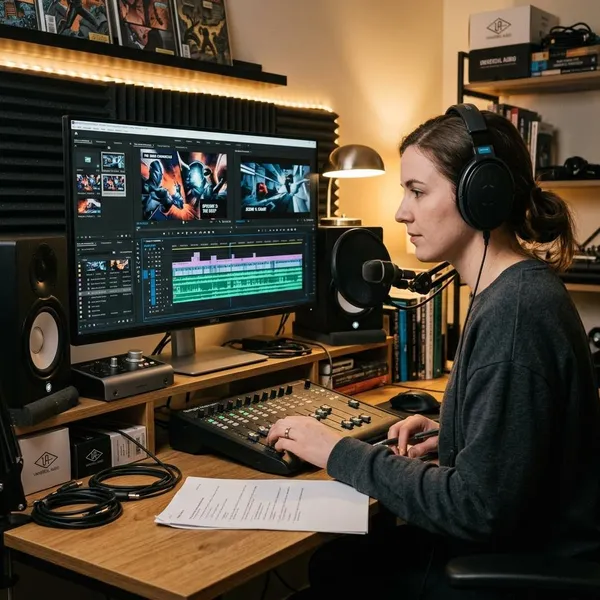
Sound often does more than the animation itself. Clear voices, a few precise effects, and controlled music can make still artwork feel dramatic and complete. Bad sound does the opposite: even nice visuals feel unfinished when dialogue is buried or effects are too loud.
Sync dialogue with each scene
The image does not need perfect lip sync, but it should feel connected to the spoken line. If a character makes a confession, the framing, hold, or reaction shot should support that line. If the shot changes too soon, the moment feels cut off; if it stays too long, the energy drops.
Add sound effects to key actions
Use sound effects for actions the viewer should notice: footsteps approaching, a door closing, a weapon being drawn, rain hitting a window, or a distant alarm. Do not add a sound for every tiny movement. Too many effects can make a limited-animation scene feel noisy instead of immersive.
For important moments, layering can help. A single impact might combine a hit, a low thump, and a short cloth sound. Small combinations often feel richer than one obvious stock effect.
Use music to set the mood
Music should tell the viewer how the scene feels without telling them to ignore the dialogue. Slow ambient tracks can support quiet scenes. Percussive music can help action. If a scene has dense speech, choose a simpler track or lower the music under the lines.
Balance voice, music, and effects
Balance the mix on more than one device. A scene that sounds fine on headphones may bury dialogue on phone speakers. Lower music during important lines, keep loud effects short unless the story needs shock, and check that scene-to-scene volume does not jump suddenly.
Conclusion
The strongest motion comics usually come from restraint: clear timing, clean layers, readable camera moves, and audio that carries the scene without overpowering it. Start with a short sequence, prove the workflow, and only add more complex character motion once the basic pacing feels solid. If the viewer can follow the story and feel the beat of each scene, the project is already doing its job.